

Owner vs Assignee vs Member - Understand roles in Ticketing as a Service

Aktualisiert: vor 2 Tagen
In this article, we delve into the fundamental roles within our Microsoft Teams Ticketing System: Owner, Assignee, and Member. Each role plays a crucial part in the ticketing workflow, ensuring efficient management and resolution of tickets.

Roles in Ticketing
1) Ticketing Owner
Owners have overarching control and responsibility for the Ticketing Instance. They oversee the configuration, settings, and overall management of the Ticketing instance. Owners have the authority to make significant changes, such as modifying workflow configurations, managing user permissions, and accessing all tickets within the instance. Read more about ticketing visibility
See below section on how to manage ticketing owners
2) Assignee
Assignees are users assigned to specific tickets to handle their resolution. They are responsible for addressing the issues raised in the tickets assigned to them, ensuring timely responses, updates, and resolutions.
Assignee cannot access Setting.
Read following blog post to manage assignee list
3) Member
Access to an instance is open to anyone with access to the Teams channel.
Members can be invited to follow a ticket (Follower custom field).
Members cannot access Setting.
For more information on how ticket visibility works, you can check out this blog post.
How to manage Ticketing Owners
How you manage owners depends on the membership mode of your instance. You have two options.
Option 1: Pick Ticketing Owners manually
When an instance uses Private or Public membership, you choose the owners yourself.
Open Settings and go to Instances.
Click to edit the Owner.
Search for the user and change their role to Owner.
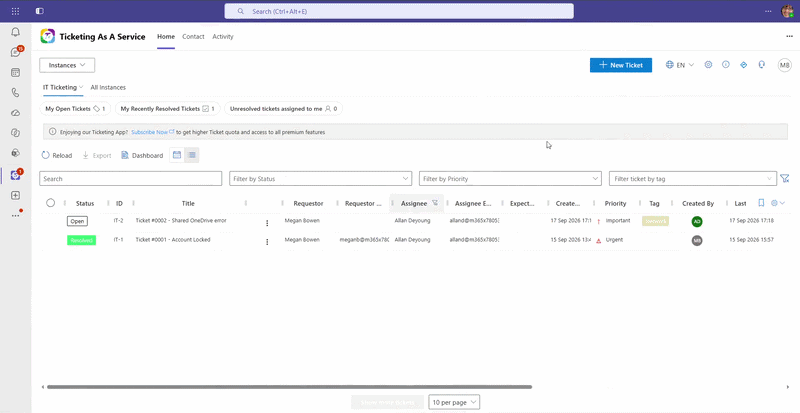
Option 2: Sync owners from the Teams channel (Full Channel Sync)
With Full Channel Sync, your Ticketing owners are the same as the channel owners, so there is no separate list to maintain. This mode requires the instance to be installed in a Teams channel. For the steps, see managing instances from the personal app.
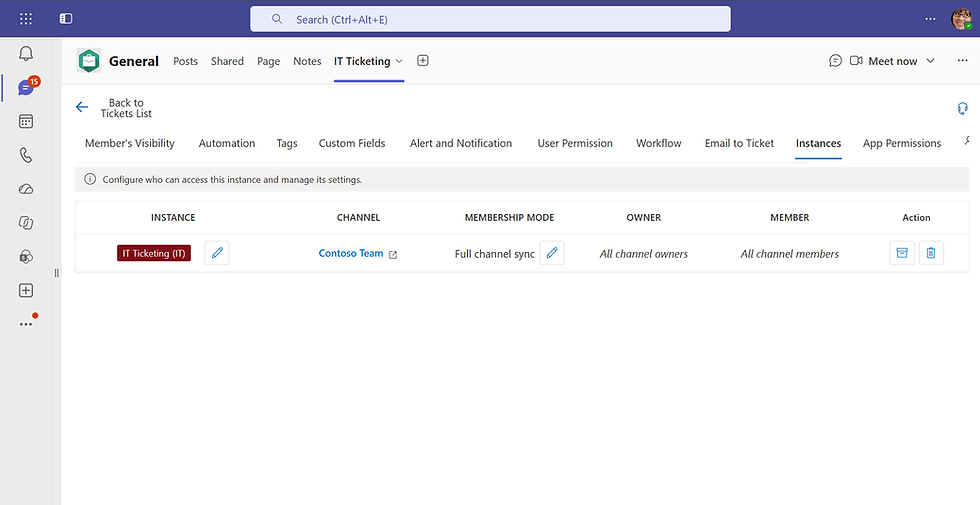
Voila! You have successfully configured who are the Ticketing owners in your instance.
Need further Assistance?
TeamsWork is a Microsoft Partner Network member, and their expertise lies in developing Productivity Apps that harness the power of the Microsoft Teams platform and its dynamic ecosystem. Their SaaS products, including CRM as a Service, Ticketing as a Service and Checklist as a Service, are highly acclaimed by users. Users love the user-friendly interface, seamless integration with Microsoft Teams, and affordable pricing plans. They take pride in developing innovative software solutions that enhance company productivity while being affordable for any budget.