

Create Your First Ticket in Microsoft Teams Ticketing App by TeamsWork

Actualizado: 7 oct
Hi All,
Today we will discover one of the most basic functionality in Ticketing app, which is creating a new ticket and seeing notifications in action
You can either read the highlights below or watch this video for more detail explanation.
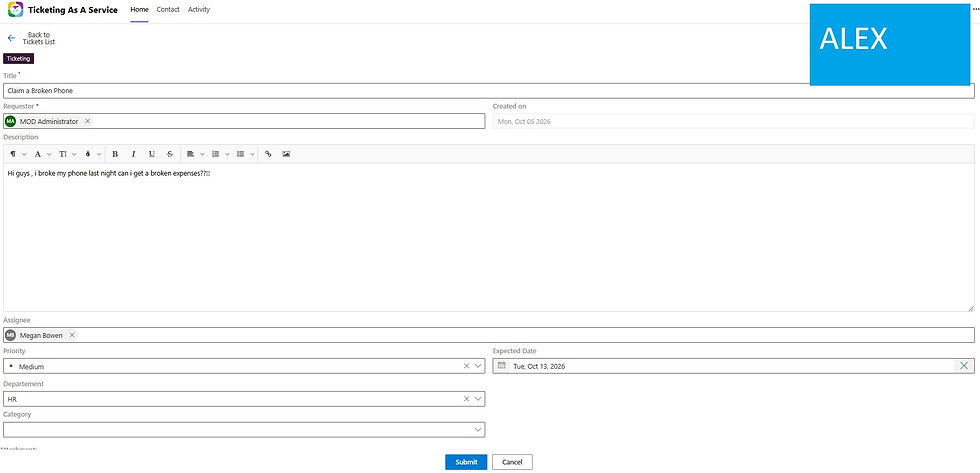
Submit request by creating a ticket
Alex, working as a sales, submits his request using Ticketing App
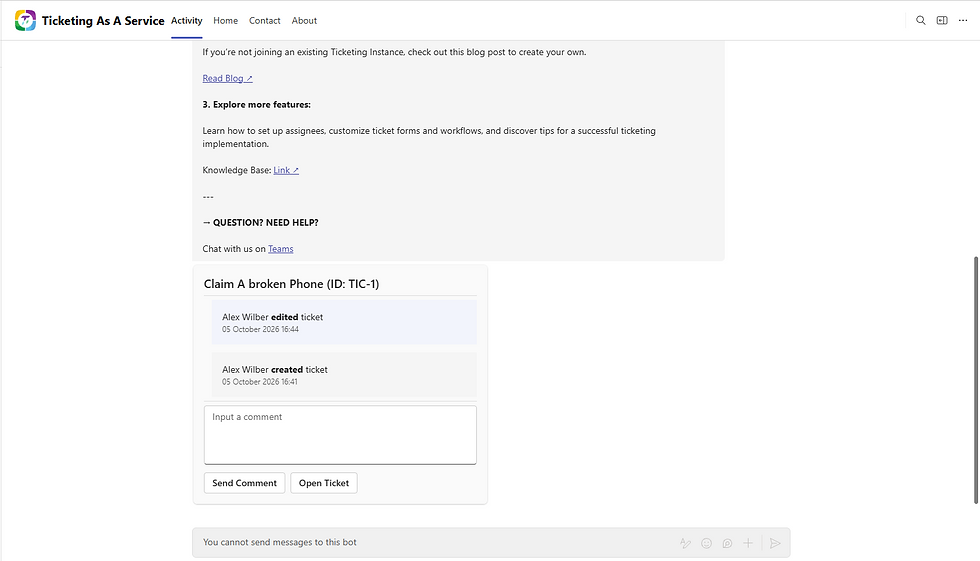
Notification on the new request
Megan, as an HR receives notification in Microsoft Teams and opens this ticket from the chat notification
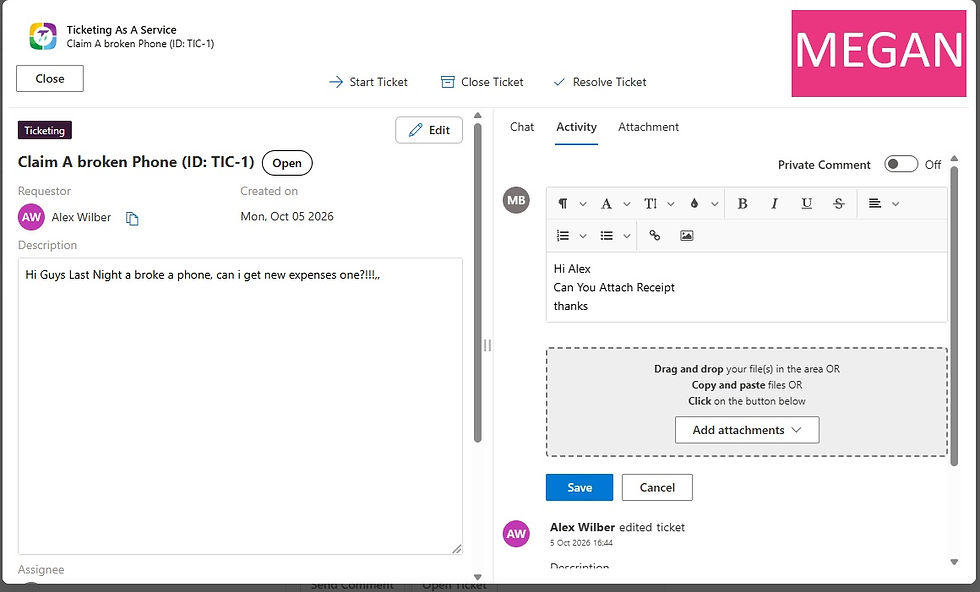
Engage conversation
Megan assesses Alex's request and engages conversation directly with him in Ticketing App
Hope you enjoy this post about creating a new ticket and seeing notifications in action
Have a nice day!
Marc
Still switching tabs to get things done? TeamsWork brings your business apps into Microsoft Teams — Ticketing, CRM, Checklist, and Billing — so support, sales, and tasks all live where your team already works. Microsoft Solutions Partner certified, trusted by 500+ organizations.